
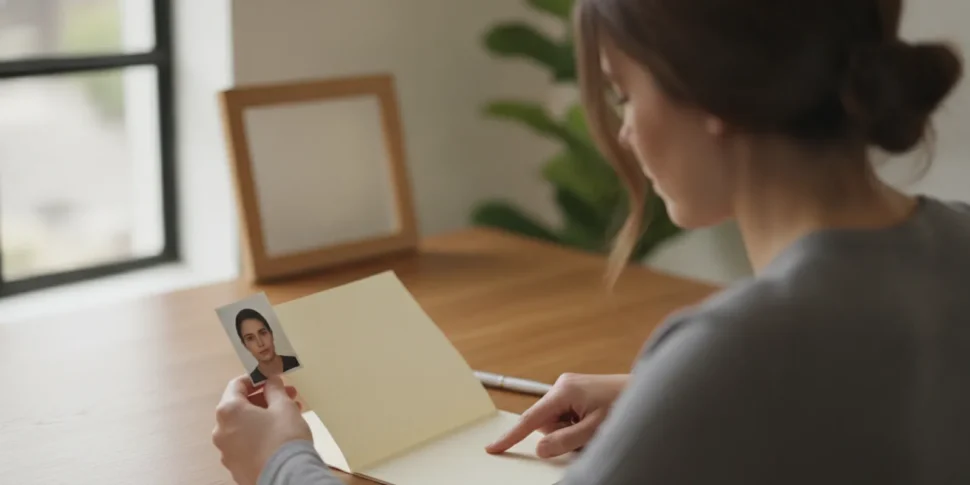
Finding the right passport photo in Westchester is one small part of preparing a complete passport application. A photo that is blurry, poorly framed, damaged, or inconsistent with current instructions can create a preventable problem. Before you visit a photo provider or send an application, check what the application route requires, inspect the finished photo, and keep it protected until submission.
Schedule your passport appointment
What should a passport photo in Westchester look like?
The U.S. Department of State asks applicants to submit a high-resolution color photo that is not blurry, grainy, or pixelated. It also warns against visible printer dots. Review the State Department’s passport photo guidance before taking or selecting a photo, and check the current instructions for the specific form and application route you will use.
Do not assume that a photo is acceptable just because it was taken at a familiar pharmacy, studio, or shipping location. A provider may know the usual format, but you remain responsible for checking the photo against the government’s current requirements. A careful review takes only a few minutes and is easier to do before you have assembled or mailed the rest of your application.
For a useful first check, look for a clear, evenly lit image with the applicant facing the camera and an uncluttered background. The face should be easy to see, and the image should not be obscured by shadows, glare, accessories, or objects. Avoid using a casual snapshot or editing the image in a way that changes the applicant’s appearance. If you have any doubt about a particular requirement, use the official instructions for your application rather than relying on an old photo or advice meant for a different document.
Where can you get a passport photo in Westchester?
Travelers can compare local photo studios and retail photo counters, or ask a passport and document service about photography options. Choose a provider that understands passport photos and can tell you what format it supplies. Before paying or leaving, ask whether you will receive a printed photo, a digital file, or both, and confirm that the output is intended for the passport application route you are using.
Justin Document Service offers passport photography as part of its document services. If you are also planning an application, you can review appointment scheduling information and arrange the next step. The appointment page is for planning your passport process; it is not a substitute for checking photo instructions or confirming what to bring for your specific case.
When comparing providers, focus on process and clarity rather than simply choosing the nearest counter. Ask whether the staff will take a new photo if the first one does not meet the requested format, how the image will be delivered, and whether the print will be protected from bending or smudging. If you need a photo quickly, call ahead to confirm availability and any timing details directly. Do not assume a provider’s hours or services without checking with that provider.
It can also help to ask how many copies are included and whether you can review the image before it is printed. If you receive a digital file, ask how it will be sent and whether it is the original image or a processed copy. Keep personal files secure, especially if they are sent through email or stored on a shared device. A provider’s answers can help you decide whether its service fits your needs, but the official photo instructions remain the standard to check.
For someone balancing a workday, family plans, or a business trip, reduce back-and-forth by clarifying the basics before you leave: photo format, approximate visit process, and how long the provider expects the visit to take. These questions do not replace the passport rules; they simply help you arrive prepared and avoid discovering a practical issue after you have made the trip.
How do you choose between a printed photo and a digital file?
Your application route determines what you need. A paper application generally calls for a physical photo prepared according to its instructions. An online process may ask for an image file that meets its upload rules. Do not order one format based on a general assumption: check the current instructions for the actual form and submission method first.
The distinction matters when you are arranging a photo for more than one traveler or helping a family member apply. One person may be renewing while another is applying in person, so their photo needs and submission steps may not match. Before visiting a provider, write down who needs a photo and which application route each person will use. Then ask for the appropriate format for each applicant instead of assuming a single photo order will cover everyone.
If you are using an online process, check the upload instructions on the official application site before the photo is taken. Confirm permitted file type, image dimensions, and any file-size limits directly from that process. For a paper application, carefully follow the instructions for the physical print and its placement. If the provider cannot answer a technical question about the submission rules, use the official instructions rather than guessing.
| Application situation | What to confirm | Practical next step |
|---|---|---|
| Paper application | Whether a printed photo is required and how it must be submitted | Get a print prepared for the application, then keep it clean and flat |
| Online application | Whether the process accepts a photo upload and the file rules | Request a digital file only if the official process calls for one |
| Not sure which route applies | Whether you are renewing or applying in person | Identify the correct route before ordering a photo |
If you are renewing, start by checking whether you can use the renewal process at all. The requirements and submission method can differ from those for a first-time applicant or someone who must apply in person. Justin’s guide to applying for a passport online can help you think through the route, while the passport office application guide covers the in-person path. Use official instructions to confirm eligibility and photo format before you submit anything.
What should you check before accepting the photo?
Take a moment to inspect the image while you are still at the provider, when a correction may be simpler to request. Use this checklist:
- Clarity: Check that the face and features are in focus. Reject an image that looks blurry, grainy, or visibly pixelated.
- Print quality: Look closely for printer dots, streaks, marks, or uneven color.
- Lighting: Make sure shadows or glare do not hide facial details.
- Background and framing: Confirm the image follows the current official instructions for background, positioning, and the amount of space around the head.
- Appearance: Check that the image is a faithful, current likeness and has not been altered with filters or retouching that changes how the applicant looks.
- Condition: Ensure the finished print is not creased, scratched, smudged, or attached to another surface in a way that could interfere with submission.
- Format: Verify that you received the type of photo—print or file—required for your application.
Keep the photo separate from items that might leave marks. Put a printed copy in a clean protective sleeve or envelope and avoid folding it. If the application instructions specify how to attach the photo, follow those directions rather than improvising with staples, tape, or adhesive. For a digital image, save the original file in a secure place and avoid repeatedly resizing or editing it.
Check the print under good light rather than only glancing at it in a dim car or hallway. Compare the face and background with the requirements while the provider can still help. If the photo looks different from the applicant, has a visible mark, or seems cropped in a way you are unsure about, pause and ask for a retake or clarification. Do not try to fix a questionable image later with a phone filter or a home printer.
When you get several prints, keep them together and label the envelope with the applicant’s name outside the photo area. Do not write on the image itself. Keep digital copies in a folder that is easy to find but not publicly shared, and avoid sending the image through channels that you do not trust. Organized storage is useful if an application packet needs to be assembled later.
What should you bring when getting a passport photo?
For the photo itself, bring the person who needs the passport photo and any specific instructions you have already checked. If the photo is for a child, plan for an adult to help with the visit and confirm the child’s photo requirements before leaving home. Requirements can vary with age and application circumstances, so do not assume the same setup works for every applicant.
If you are getting a photo as part of a wider passport appointment, bring the documents and information needed for that appointment as well. Your checklist depends on whether this is a renewal, a first passport, a child’s application, or a replacement. Review the relevant child passport application steps when preparing for a minor, and check the applicable government instructions for required evidence and forms.
Renewal applicants can also review Justin’s passport renewal status guide if they are managing an existing application. If your travel plans are close, do not treat a new photo or appointment as a promise about when a passport will be issued. Processing and delivery depend on the applicable government process and the details of the application.
Before setting out, call the photo provider or appointment location to confirm its current process and what it expects you to bring. For a photo visit, ask whether you need to bring any reference instructions or whether the provider supplies the print. For a passport appointment, verify the appointment details, forms, supporting documents, and payment instructions from the relevant official source or service provider.
Keep separate checklists for the photo visit and the passport application. A photo visit may only require the applicant and a clear understanding of the requested format. An application appointment can require forms and supporting records that are not needed to take a photo. Separating the lists helps prevent an applicant from confusing the photo provider’s process with the government’s application requirements.
Make a final check before you leave home: confirm the appointment time, put the photo instructions in a place you can access, and gather the documents you have already verified. If you are assisting another adult, ask that person to confirm the details of their application. For a child, check what the accompanying parent or guardian needs to bring. A short check in advance is more reliable than assuming last-minute details will be the same for every case.
Plan your passport appointment
How can you avoid photo problems from delaying your application?
Start with the correct application route, not with the camera. Once you know whether you are renewing online, mailing an application, or applying in person, you can confirm the photo format and prepare only what that route requires. A photo provider cannot decide your eligibility or replace the instructions for your specific application.
- Identify the application type. Decide whether the application is a renewal, first-time application, child’s passport, or another case. If you are unsure, compare the official eligibility rules before buying photos.
- Read the current photo instructions. Use the U.S. Department of State’s instructions and check for any route-specific requirements.
- Choose a provider with a clear process. Ask what format it supplies and how it handles a photo that needs to be retaken.
- Inspect the result immediately. Look for image quality issues, marks, and a mismatch between the supplied format and your application.
- Keep the photo safe. Protect the print or preserve the original file until you are ready to submit the application.
- Review the complete packet. Check that the form, evidence, fee, and photo are all prepared according to the instructions for the chosen route.
Common avoidable mistakes include using an old photo, submitting a casual image without checking it, assuming every application route accepts a digital file, or letting a print bend in a wallet or bag. Another mistake is relying on advice from an earlier application. Requirements and online processes can change, so confirm the details shortly before you apply.
If you need help organizing the wider application, read the guide to U.S. passport and visa requirements for a broader planning overview. For travelers comparing application timing and service options, the passport expediting service guide explains what to consider. No service can promise government approval or a particular processing outcome, so leave enough time and follow the official instructions.
What if you need a passport photo for a child?
A child’s photo requires extra planning because it can be harder to keep the image clear and the child positioned as required. Check the official photo instructions for the child’s age and application route before taking or ordering the photo. Do not rely on a general adult-photo checklist alone.
Make the photo visit as simple as possible. Choose a time when the child is rested, bring only the items needed to keep the visit calm, and ask the provider in advance how it handles young children. Review the image before leaving. If the child moves or looks away, ask whether a retake is possible rather than assuming a nearly acceptable image will be fine.
Photo preparation is only one part of a minor’s application. Parents or guardians should also review the required forms, evidence, and consent process for the child’s circumstances. The child passport guide provides a starting checklist; confirm the final requirements with the appropriate official instructions.
Arrange the next step for your passport application
Frequently Asked Questions
Can I use a photo taken at home?
That depends on the current requirements for your application route and whether the image meets them. Do not submit a casual snapshot without checking framing, image quality, background, and the required print or file format against the official instructions.
Should I bring a digital photo or a printed photo?
Check the application route first. A paper application may require a printed photo, while an online process may have rules for an uploaded image. Ask the provider what it supplies, and do not assume you need both formats.
What if my passport photo looks blurry or has marks?
Ask the provider about a corrected print or retake before submitting the application. The State Department’s photo guidance specifically says the image should not be blurry, grainy, or pixelated, and it should not show visible printer dots. Keep a clean replacement protected until you apply.
Can I use the same passport photo for another document?
Do not assume one image is acceptable for every document or process. Check the specific instructions and photo date requirements for the other application before reusing a print or file.
Does getting a new photo speed up passport processing?
A suitable photo can help you prepare a complete application, but it does not guarantee approval or a particular processing time. Processing depends on the government process and the application. Confirm current timing directly with official sources when planning travel.
Ready to prepare your passport photo and application?
When you have confirmed the right application route, chosen a suitable photo format, and checked the finished image, gather the rest of your documents and review the instructions once more. Justin Document Service offers passport photography and can help you plan the next step for your passport application.
Schedule a passport appointment with Justin Document Service
With a clear photo and an organized application packet, you can move forward with greater confidence and fewer avoidable surprises.